Log in









What is in this article
- The deliverable: what a client-ready shortlist has to contain
- Step 1 — Translate the brief into inputs the platform actually has
- Step 2 — Run the search and read the results table before opening a single profile
- Step 3 — Spend profile views on the candidates that survived, and refresh what looks stale
- Step 4 — Assemble the shortlist inside the tool rather than in a side document
- Step 5 — Export once, in the format that matches the reader
- Step 6 — Size the plan to how many shortlists you produce a month
The deliverable: what a client-ready shortlist has to contain
A shortlist is not a search result. It is a named set of creators, each with a follower count, an engagement rate, a category and a location, in a file the person who commissioned it can open without logging into anything. If your client cannot forward it to their brand manager, you have not finished the job.
Producing that file inside infloo.io consumes four separate metered actions, and they are metered separately from each other:
- A search — every query you run against the index.
- A profile view — every creator profile you open in full.
- A data-update request — every time you ask the platform to refresh a profile's numbers.
- An export — every file you generate, PDF or spreadsheet.
On Pro, the plan marked most popular, those four allowances are 200 searches, 200 profile views, 75 data-update requests and 100 exports per month. They do not pool. Burning through profile views on candidates you could have rejected from the results table does not give you extra exports, and having 100 exports left does not help if you have no views to spend building the list you would export. That asymmetry is the reason the workflow below is ordered the way it is: cheap actions first, expensive actions on survivors only.
All prices, limits and coverage quoted in this article are those published on infloo.io on 1 September 2026 and may change.
Step 1 — Translate the brief into inputs the platform actually has
Briefs arrive in marketing language: "Southern European beauty micro-creators, Gen Z skew." The index does not take that as input. Before you touch the interface, resolve the brief into four concrete parameters: platform, country, category and follower band.
Platform first. Instagram and TikTok are separate searches with separate rankings. There is no combined result set, so a brief that wants both is two runs of this workflow and two sets of allowance spend, not one.
Then the country. Ranking coverage on infloo.io as of 1 September 2026 is 14 countries on Instagram — Spain, United States, Ukraine, United Kingdom, Portugal, Italy, Germany, India, France, Turkey, Brazil, Mexico, Argentina and Indonesia — and the same 14 countries on TikTok. You can browse them directly in the Instagram influencer rankings and the TikTok influencer rankings before you commit a search to them.
Can I shortlist creators in a country that is not in the rankings?
Ranking coverage is 14 countries per platform. A brief that names a region rather than a country has to resolve to one of those 14 before it becomes a search. "Southern Europe" becomes Spain, Portugal and Italy — three searches, three sets of results, one merged shortlist. "Latin America" becomes Brazil, Mexico and Argentina. A market outside that list of 14 is not something the ranking coverage answers, and the honest move is to tell the client that at brief stage rather than after you have spent a week on it. Do the resolution on paper first; every country you add is another search and another tranche of profile views.
City-level targeting is an Instagram-only option. The 14 Instagram countries are broken down into 138 cities. TikTok coverage stops at country level with no city breakdown. So a brief for "Milan food creators" is answerable on Instagram and only answerable as "Italy" on TikTok — worth flagging to the client before you promise geographic precision the platform cannot deliver on both channels.
Finally, fix your category and follower bands. Decide the band before you search, not while you are looking at results. A first search run to "see what comes back" is a spent search that produces no shortlist rows.
Step 2 — Run the search and read the results table before opening a single profile
Run your query in the influencer search and stop at the results table. This is the screen that protects your scarcest allowances, and most people skip past it too fast.
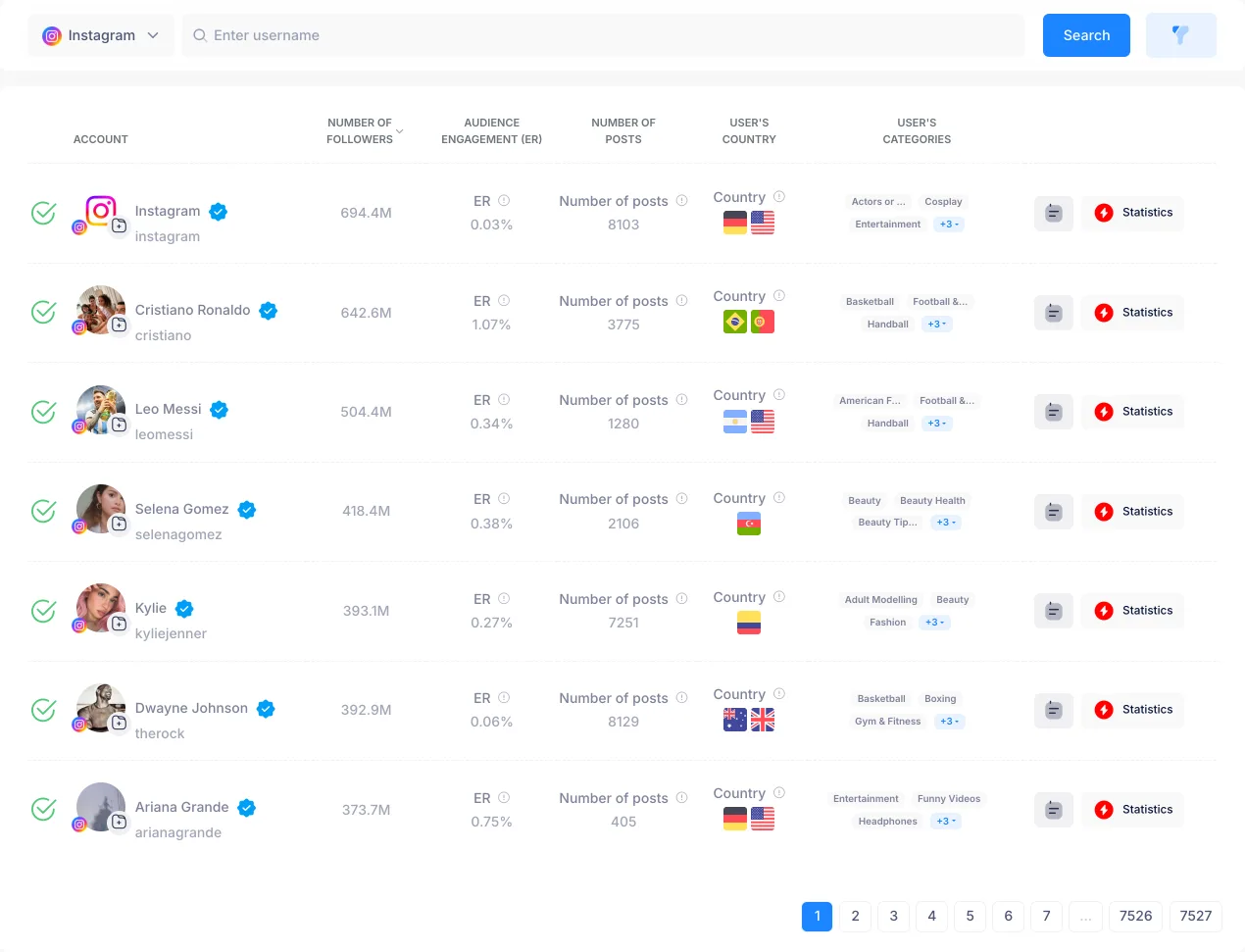
Each row gives you followers, engagement rate, post count and categories. That is enough to disqualify a large share of the result set without spending a profile view on any of them. Follower count outside the brief's band: reject from the row. Engagement rate below your floor: reject from the row. Categories that do not match the brief: reject from the row. A near-empty post count on a large account: reject from the row. If you are unsure where your engagement floor should sit for a given follower band, settle that question first — our breakdown of what engagement rate you should require from influencers gives you a number to filter against instead of a feeling.
Advanced filters are their own metered allowance, and a tighter one than searches: not included on Free, 15 per month on Basic, 75 on Pro, unlimited on Premium and Agency. On Pro you have fewer advanced filters (75) than searches (200), so stacking every available filter on every query is the fastest way to run out. Pick the one or two filters that actually remove candidates you would otherwise have to open, and leave the rest to visual scanning of the table.
A working rule for the transition from table to profiles: open roughly twice as many profiles as you intend to shortlist. A ten-name shortlist means about twenty profile views. If you are opening five profiles per shortlisted name, your filtering at the table stage is too loose.
Step 3 — Spend profile views on the candidates that survived, and refresh what looks stale
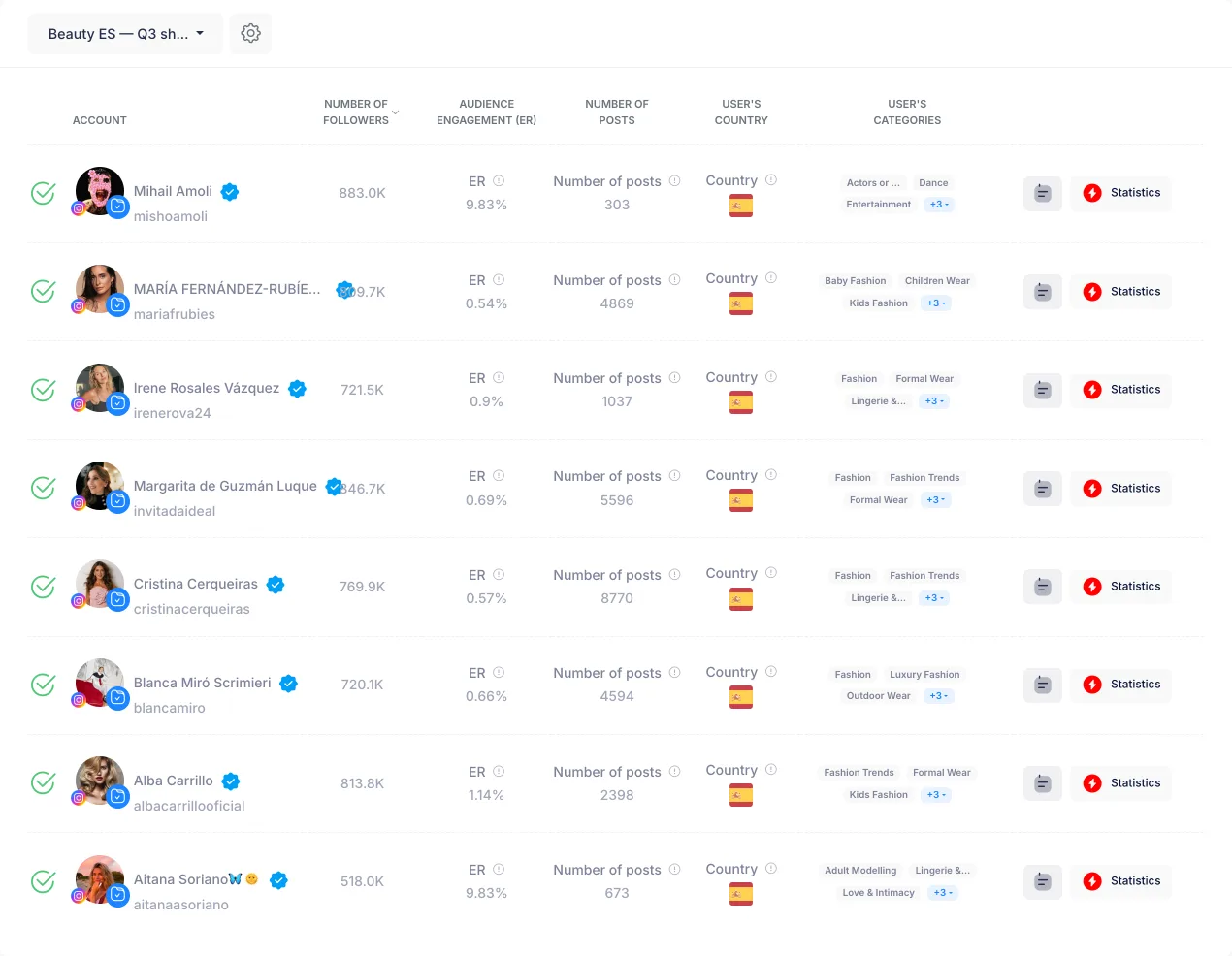
The profile view is where you buy the information the table cannot show: quality score, audience composition and demographics, and growth history. This is where a creator with a strong headline engagement rate turns out to have an audience in the wrong country, or a follower curve with a step change that no organic account produces.
What if a profile's numbers look out of date?
Use a data-update request. Per-plan caps as published on 1 September 2026 are 1 on Free, 15 on Basic, 75 on Pro, 200 on Premium and unlimited on Agency. On Basic that is 15 refreshes for the entire month — fewer than one shortlist's worth of candidates — which makes it the scarcest action on the plan by a wide margin. Reserve refreshes for finalists: the five or six names you are actually going to put in front of the client, where a stale follower count would be visible in the deliverable. Do not refresh candidates you have already decided to reject, and do not refresh at the table stage before you know a name is surviving.
Two habits keep this stage cheap. First, write down the reject reason for every profile you open, in one line: "audience 60% out of market", "engagement below floor after refresh", "category adjacent, not core". When the client asks why a creator they follow personally is not on the list, that note is the answer, and it is what makes the shortlist defensible three weeks later. Second, do not re-open profiles. Re-reading a number you could have noted the first time costs another profile view from the same 200.
Step 4 — Assemble the shortlist inside the tool rather than in a side document
Add each surviving profile to a list in the platform instead of copying names into a spreadsheet you maintain by hand. The reason is not tidiness — it is that followers, engagement rate and categories travel with the profile into the list and then into the export, so the file you send matches the platform data rather than your transcription of it.
Keep the list to a size a client can decide on. A shortlist of forty names is a research dump; the client hands it back and asks you to narrow it. Ten to fifteen names is a decision. Hold the rejected-but-plausible candidates as a named reserve tier so that when two of your first choices decline, you are not re-running the whole search from step one.
Use the note field on each profile to carry the reason it made the cut — "strongest audience overlap in Madrid", "highest ER in band, posts three times weekly" — because that reasoning is what turns a list of usernames into a recommendation.
Before you export, read the list back for internal consistency: same platform throughout, same country scope, same engagement basis. A shortlist that mixes Instagram and TikTok rows without labelling them, or mixes city-level Instagram picks with country-level TikTok picks, will be read as sloppy even when every individual row is correct.
Step 5 — Export once, in the format that matches the reader
Format is not a preference, it is a decision about who opens the file. PDF is the profile pack: the document a client or brand-side stakeholder reads, circulates and approves. XLSX is the working roster: the file your own team sorts, filters and merges with outreach status, rates and delivery dates.

Do PDF and XLSX exports count separately?
Both draw on the same monthly data-export allowance. Generating a PDF and an XLSX of the same shortlist spends two exports, not one. Decide who the document is for and export once in that format. Producing both by default halves your effective shortlist capacity on any capped plan — on Basic's 10 exports a month, it takes you from ten deliverables to five.
Can I export an influencer list on the free plan?
No. Data exports are not included on Free; they start at Basic with 10 per month, rise to 100 on Pro, and are unlimited on Premium and Agency. Free includes 10 searches and 10 profile views, which is enough to rehearse the search-and-evaluate half of this workflow but not to produce a file. These are the figures published on infloo.io on 1 September 2026.
When you only need one person to look at one creator, the share and note actions are the low-cost alternative — no export spent, no file to version-control.
Step 6 — Size the plan to how many shortlists you produce a month
Plan choice follows shortlist volume, not team headcount. Work the arithmetic backwards from a single shortlist: a few searches to cover the countries in the brief, around twenty profile views to reach ten shortlisted names, a handful of data-update requests for the finalists, and one export.
How many shortlists can I build in a month on Pro?
Do not take a marketing number for this — derive it. Pro at 29.99 per month gives 200 searches, 200 profile views, 75 advanced filters and 100 exports. At twenty profile views per shortlist, 200 views is ten shortlists a month, and profile views are the binding constraint long before the 100 exports are. Open forty profiles per list and Pro gives you five. Run leaner at ten views per list and you get twenty — but then 75 data-update requests, not exports, become the thing you run out of first. The count is set by how many profiles you open per list, which is set by how well you filtered at the table.
| Allowance | Free | Basic | Pro | Premium | Agency |
|---|---|---|---|---|---|
| Searches | 10 | 50 | 200 | Unlimited | Unlimited |
| Profile views | 10 | 50 | 200 | Unlimited | Unlimited |
| Data exports | Not included | 10 | 100 | Unlimited | Unlimited |
| Data-update requests | 1 | 15 | 75 | 200 | Unlimited |
| Advanced filters | Not included | 15 | 75 | Unlimited | Unlimited |
| Monthly price (USD) | 0.00 | 9.99 | 29.99 | 59.99 | 149.99 |
Unlimited stops being a luxury at the point where you are managing the allowance instead of the campaign. Premium at 59.99 per month removes the caps on searches, profile views, exports and advanced filters, leaving data-update requests capped at 200. Agency at 149.99 removes that last cap too, which matters if your work is refreshing large rosters continuously rather than building new lists. Full figures are on the infloo.io pricing page.
Is annual billing worth it for an agency running shortlists continuously?
Annual billing is twelve months at a 20% discount: 287.90 for Pro, 575.90 for Premium and 1439.90 for Agency. The discount is the same percentage on every tier, so the question is not whether annual is cheaper — it is whether your consumption is steady. If your monthly shortlist volume regularly pushes you against Pro's 200 profile views or 100 exports, the upgrade to unlimited is the decision and annual billing is the pricing of that decision. Agency at 1439.90 a year is the right call specifically when unlimited data-update requests, not exports, are what you keep hitting. If your volume is seasonal, monthly billing keeps the flexibility to drop back down.
Can I try the workflow before creating an account?
Yes. Anonymous visitors get 3 free lookups per 24 hours across the free tools combined — the influencer search, the rankings, the engagement rate calculator, the follower count history and the free influencer audit — after which the page asks for a free account. That is enough to rehearse the sequence end to end on a couple of real candidates: run a query, read a table row, open a profile, see what the data looks like. Create the free account and you move to 10 searches and 10 profile views a month, still with no exports. The site runs in six languages (en, de, es, pt, ro, ru), so a distributed team can rehearse the same workflow in its own.
One last note on support, because it changes at the same tier as the volume: priority support arrives at Pro and above. Free and Basic get standard support. If a shortlist is a client deliverable with a deadline attached, that difference belongs in the plan calculation alongside the four allowances.
Frequently asked questions
How many shortlists can I build in a month on Pro?
Pro's 200 profile views is the binding constraint. At 20 profile views per shortlist, you can build 10 shortlists per month. At 40 views per shortlist, you get 5. The exact number depends on how many profiles you open per list, which is determined by how well you filtered at the results table.
Do PDF and XLSX exports count separately toward my monthly export allowance?
Yes, both draw on the same monthly data-export allowance. Generating a PDF and an XLSX of the same shortlist spends two exports, not one. On Basic's 10 exports per month, producing both by default cuts your effective shortlist capacity from ten deliverables to five.
Can I export an influencer list on the free plan?
No. Data exports are not included on Free; they start at Basic with 10 per month, rising to 100 on Pro. Free includes 10 searches and 10 profile views, enough to rehearse the search-and-evaluate workflow but not to produce a file.
What if a profile's numbers look out of date?
Use a data-update request. On Basic you get 15 per month—fewer than one shortlist's worth—so reserve refreshes for finalists only. On Pro you get 75 per month. Do not refresh candidates you have already decided to reject.
Can I try the workflow before creating an account?
Yes. Anonymous visitors get 3 free lookups per 24 hours across all free tools combined, enough to rehearse the sequence end to end on a couple of real candidates before the page asks for a free account.
How many countries can I search for influencers?
Ranking coverage is 14 countries on both Instagram and TikTok: Spain, United States, Ukraine, United Kingdom, Portugal, Italy, Germany, India, France, Turkey, Brazil, Mexico, Argentina and Indonesia. City-level targeting is available on Instagram only, with 138 cities across the 14 countries.